

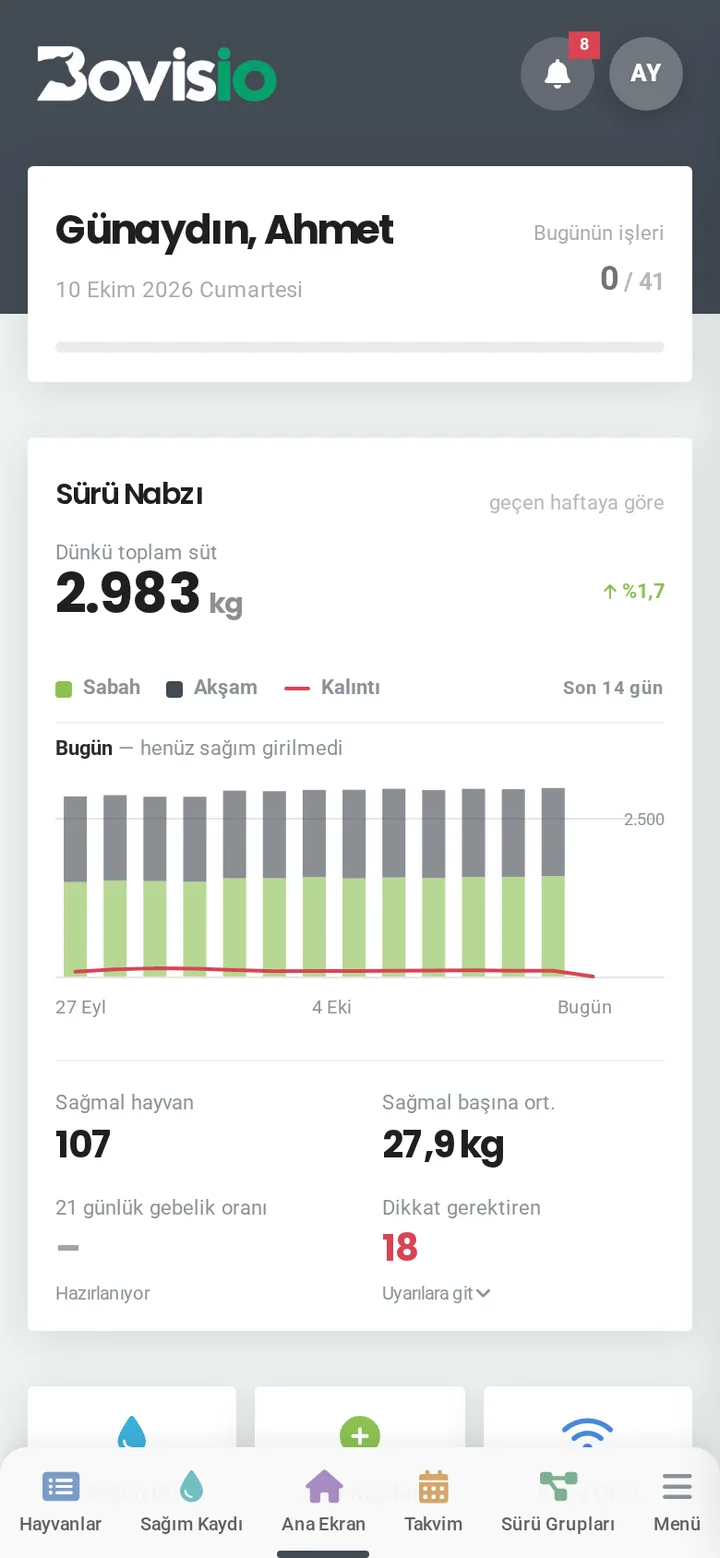
Home screen and herd pulse
Yesterday's milk, milking animals, average per cow, pregnancy rate and today's tasks at a glance.
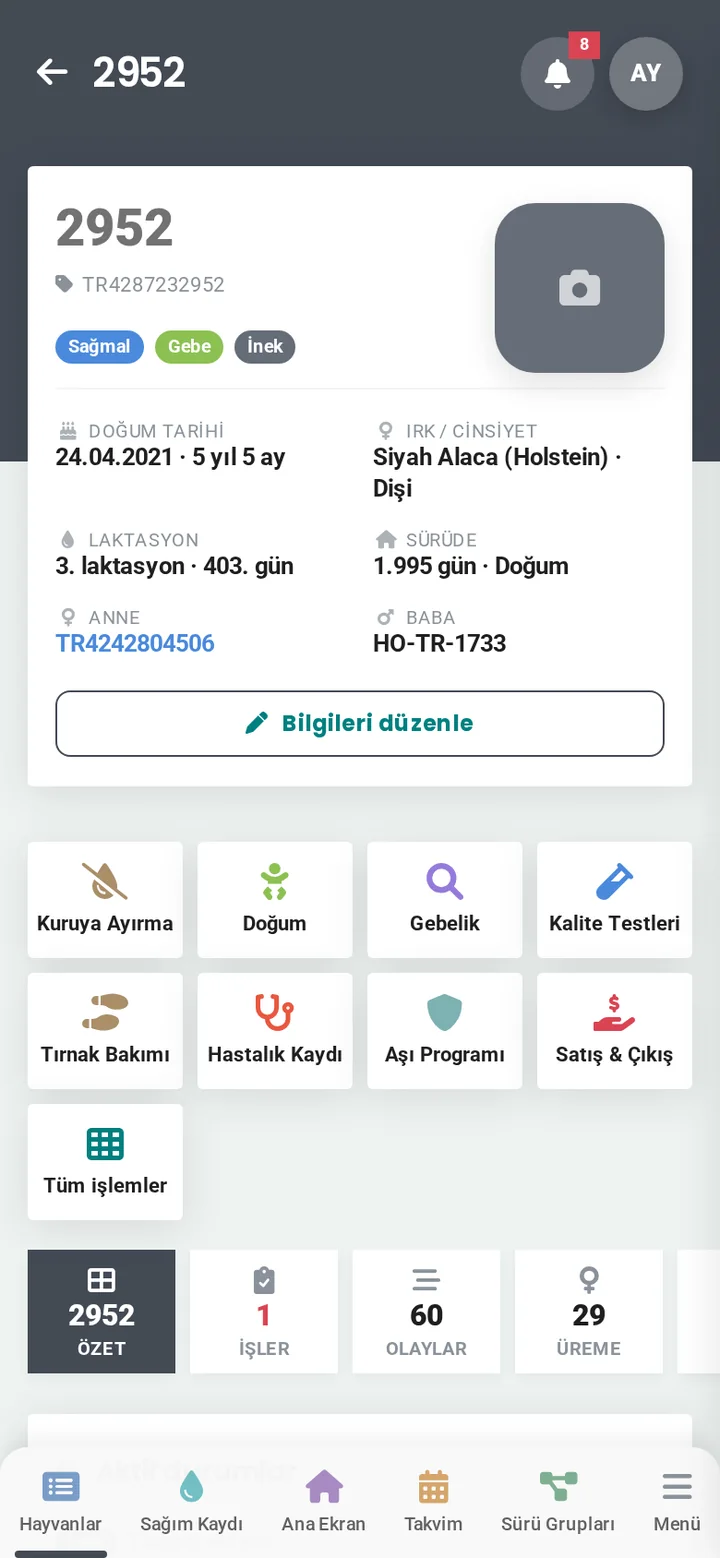
Animal card
Birth, breed, lactation, dam and sire, reproduction and event history; actions from the card.
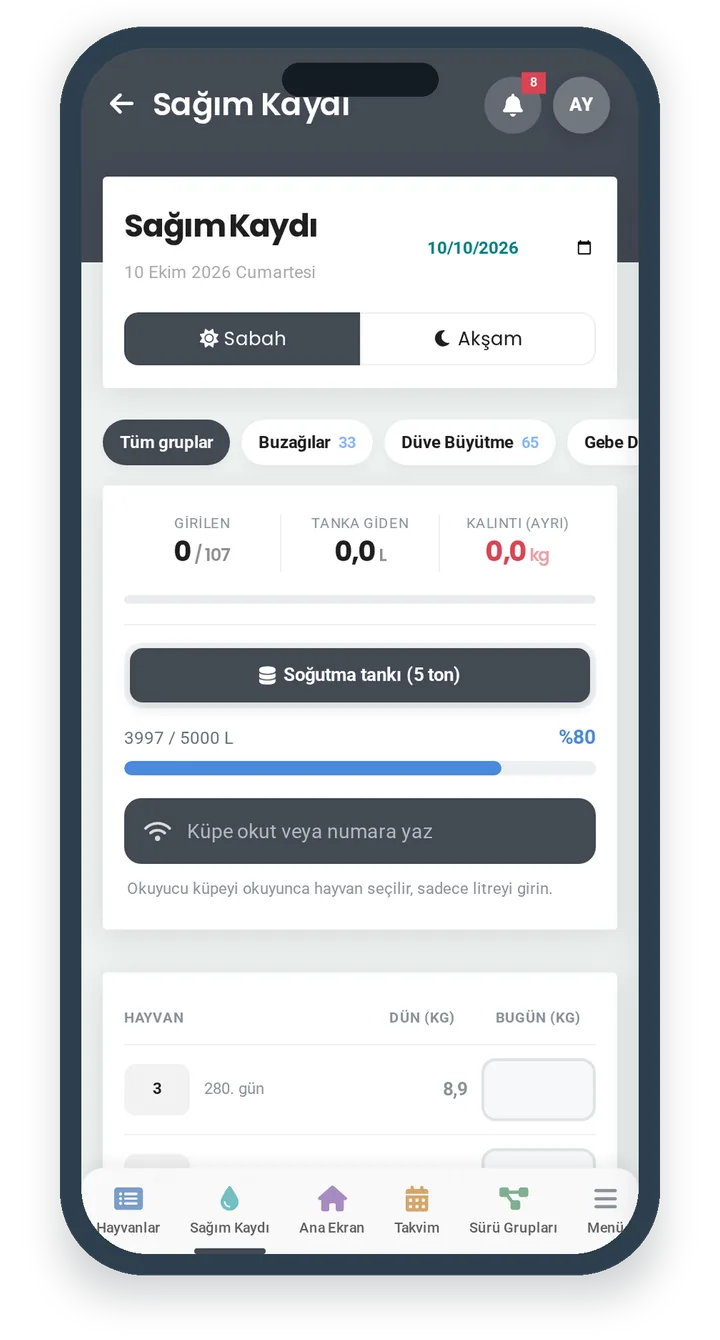
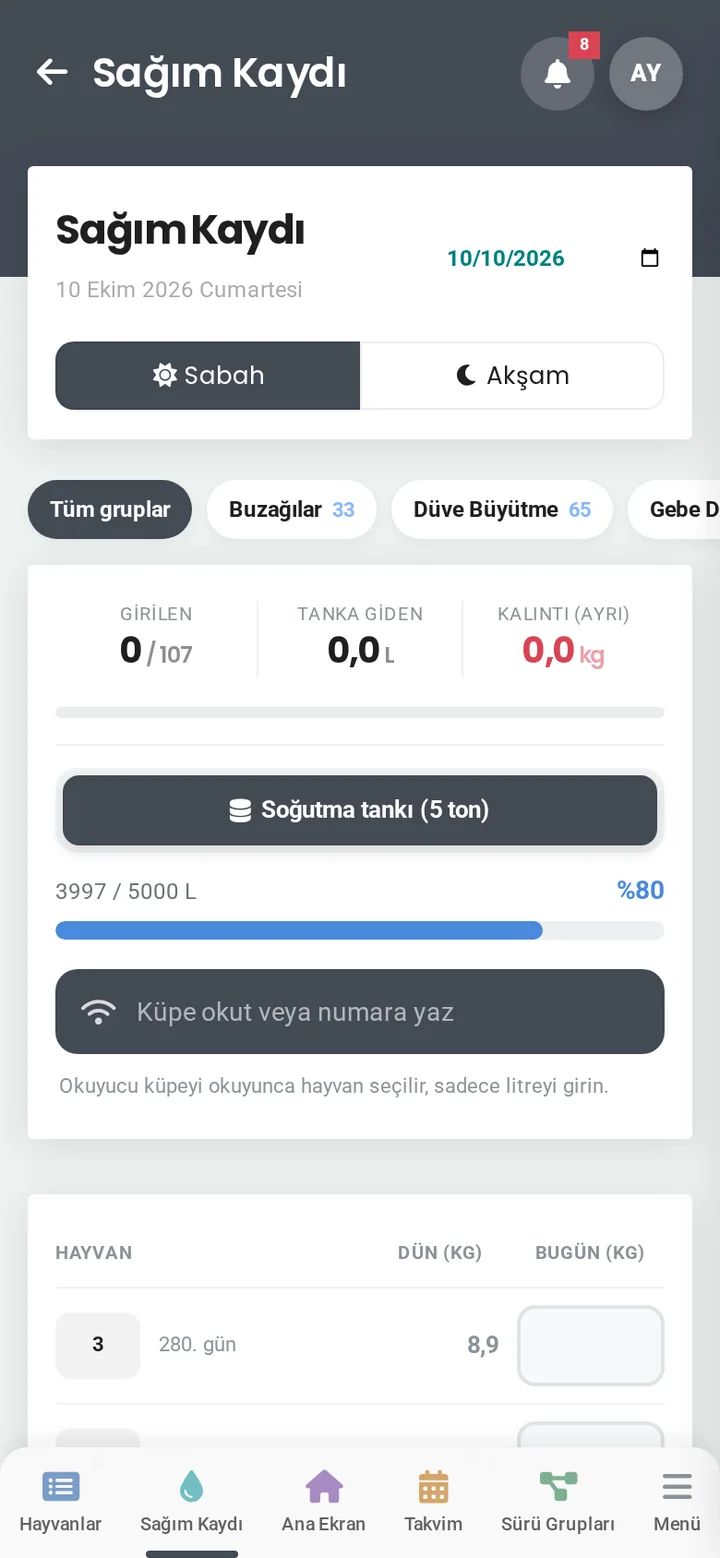
Milking record
Morning and evening milking group by group; tank record and residue warning on the same screen.
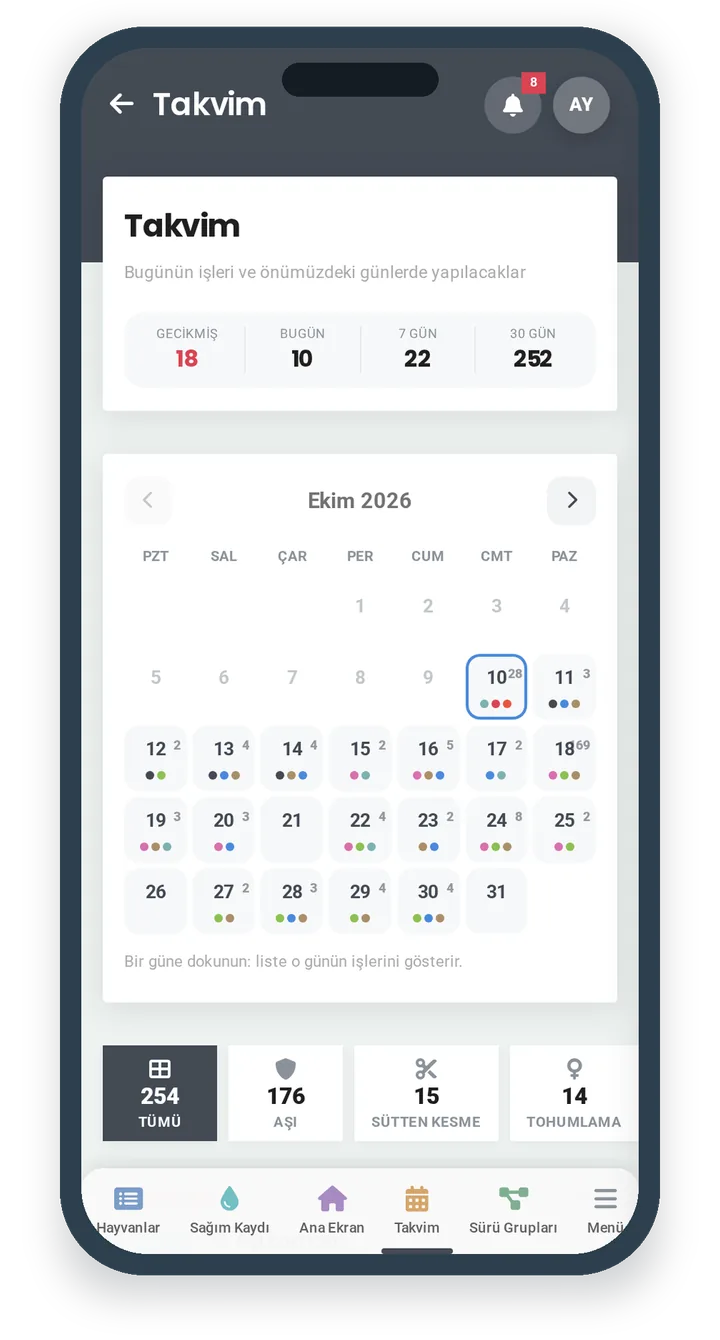
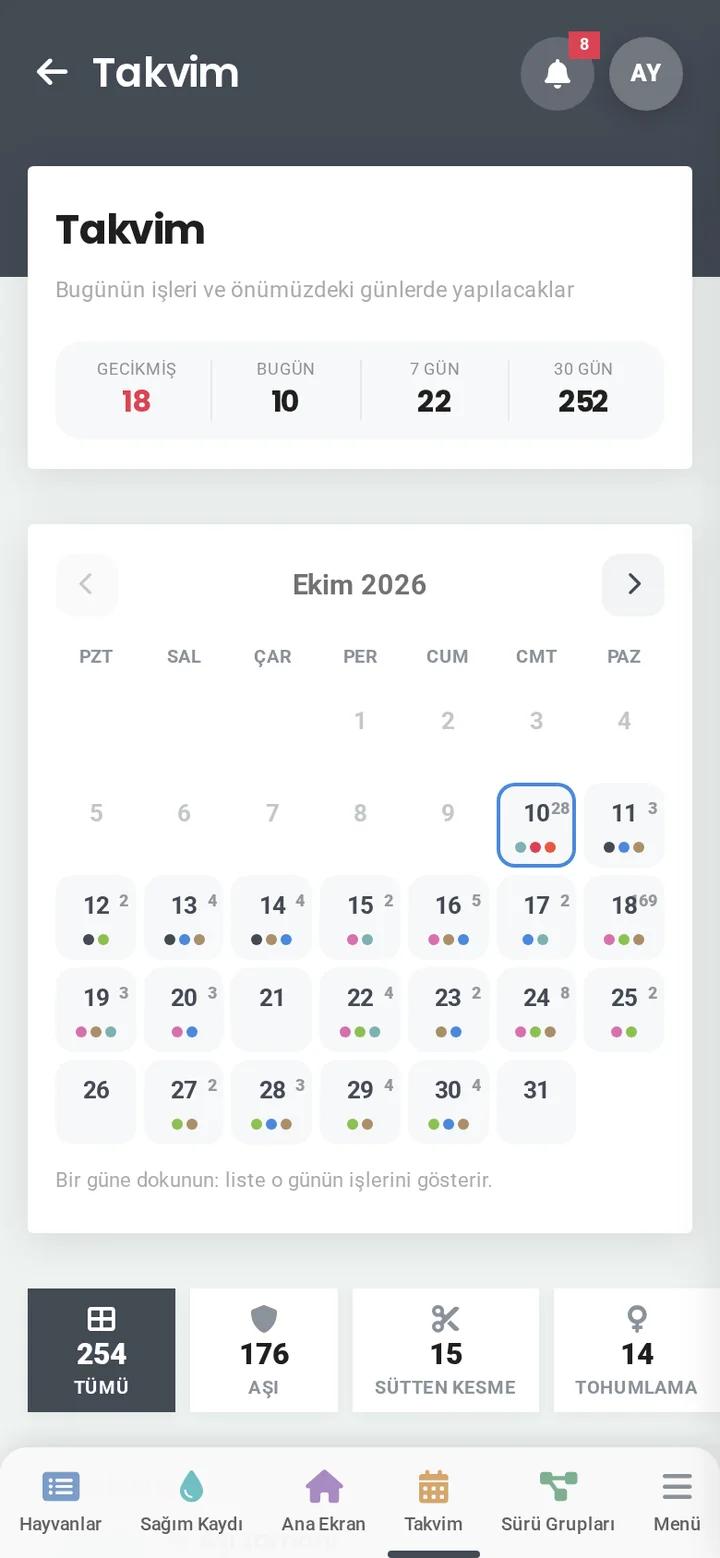
Calendar
Overdue, today's and upcoming work; vaccination, weaning and insemination in separate tabs.
Tag reader
Pair a Bluetooth reader like a keyboard; the scanned tag's card opens.
Notifications
Alerts and advisor recommendations reach your phone as notifications.
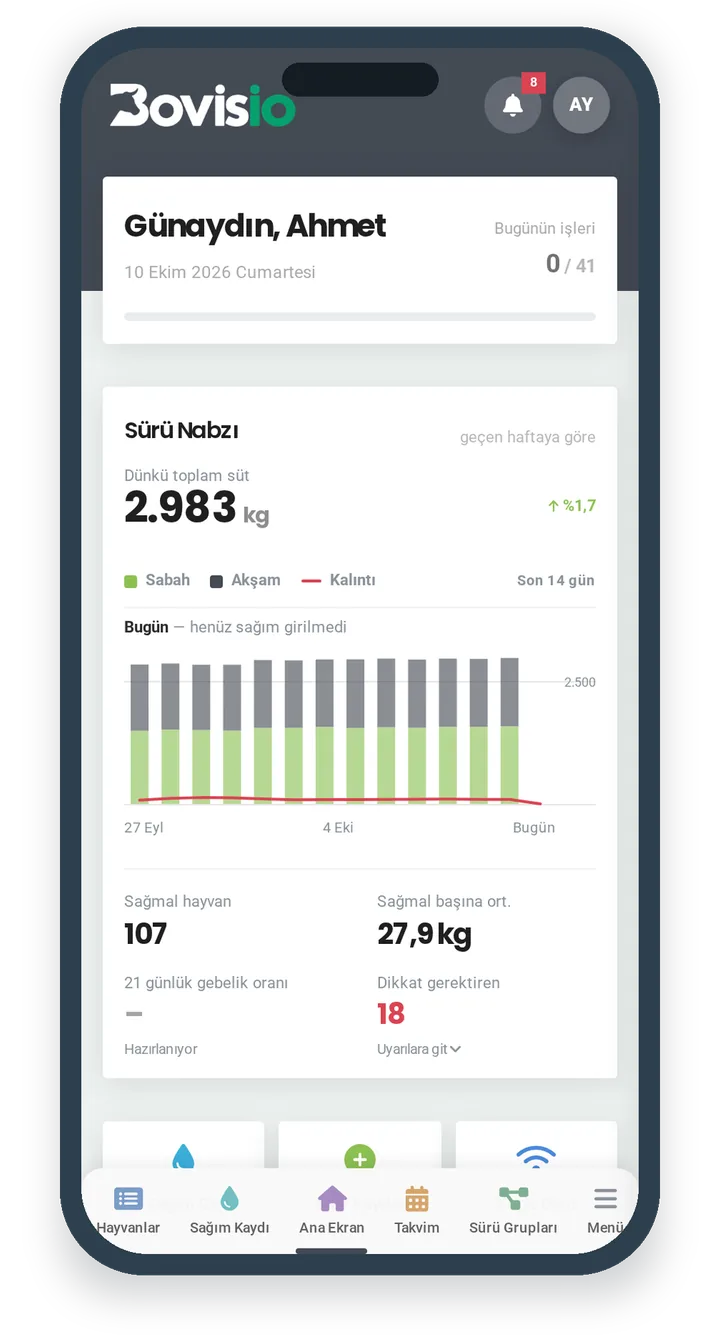
Start the day with your herd's pulse
- Yesterday's milk and the change from last week
- Today's tasks by category
- Advisor recommendations and alerts
Every animal's full history in your hand
The card shows tag and breed details, date of birth, days in milk, time in the herd, dam and sire. Dry-off, calving, pregnancy exams, quality tests, hoof care, disease records, vaccinations and sales are entered with the buttons on the card.
- Summary, tasks, events and reproduction tabs
- One-tap actions from the card
- Status labels: milking, pregnant, cow

Enter milking group by group, fast
The milking screen asks for the session and group; each animal's yesterday's yield is shown alongside. Animals within a residue period are marked and their milk is not counted in the tank. An unfinished entry is kept on the phone as a draft, so you continue where you left off.
- Morning, midday and evening sessions
- Entry alongside yesterday's yield
- Residue and tank checks
Nothing slips through
The calendar shows overdue work, today's work and the work for the next seven and thirty days with counts. Tap a day to open its list, and filter work by type.
- Overdue work stands out in red
- Vaccination, weaning and insemination tabs
- Daily list and day-by-day view
Every record at your fingertips in the barn
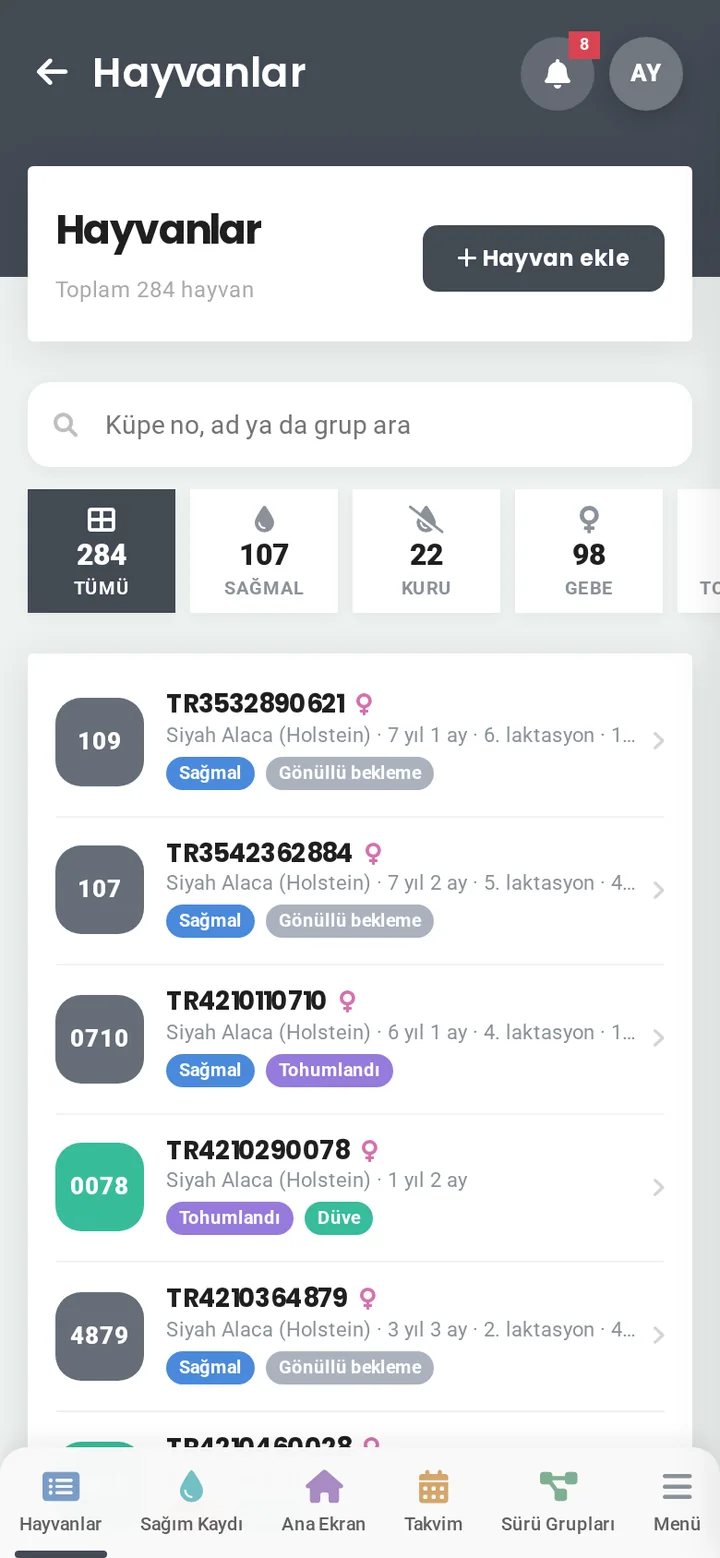
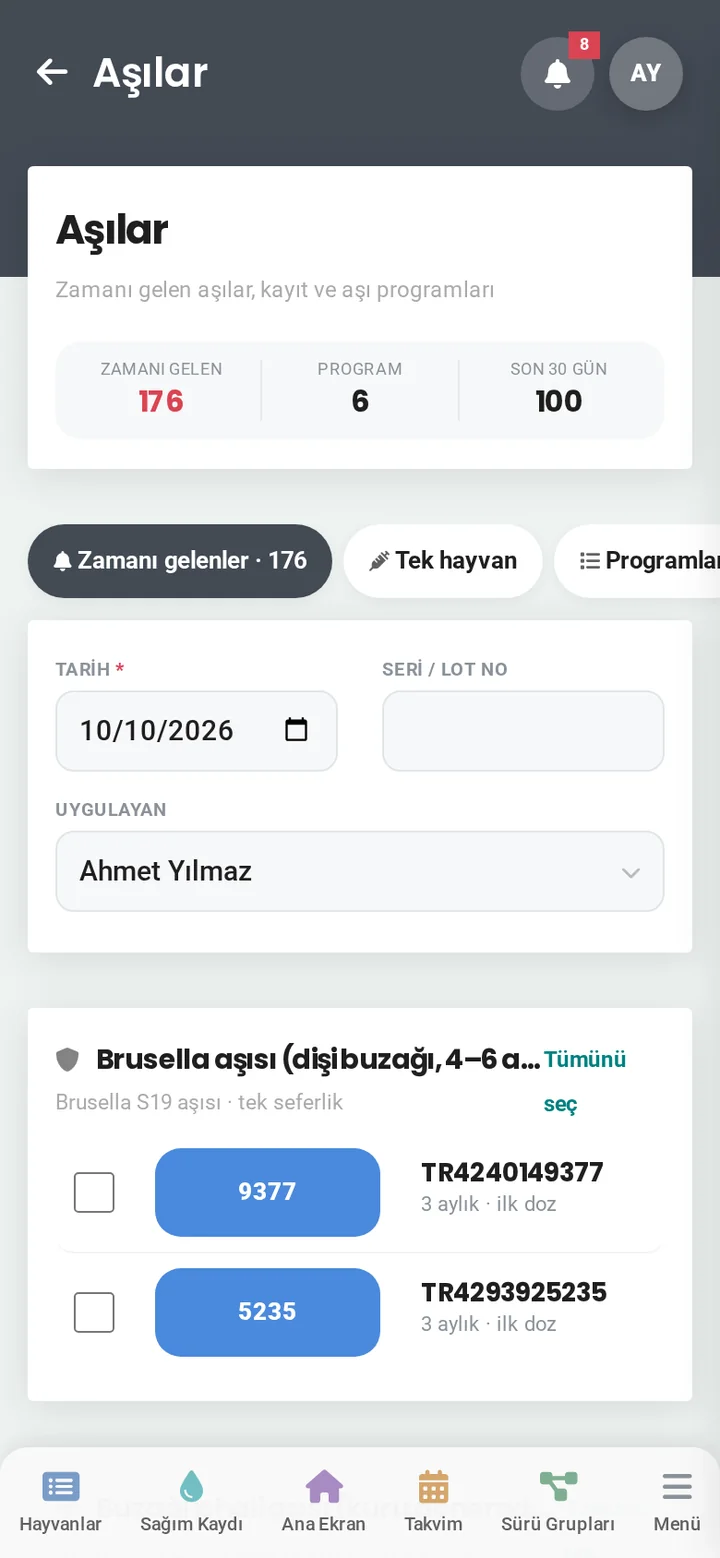
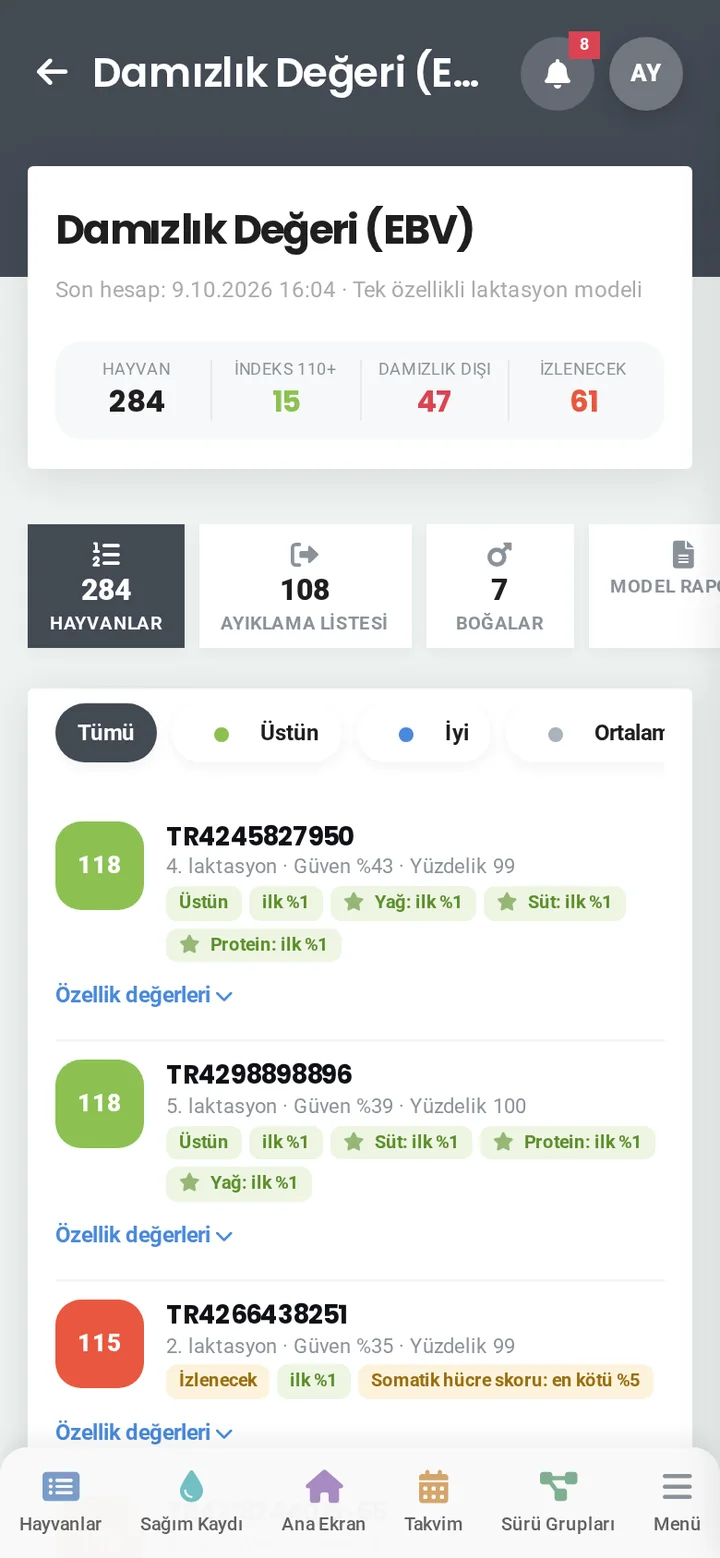
Home screen, animal list and card, milking record, calendar, vaccinations and breeding values: real screens from the farm app.
Start using it in three steps
Open and add
Open the app in your phone's browser and add it to your home screen.
Log in
Log in with the user the farm owner created for you; only the screens you have permission for are shown.
Start recording
Scan or search for a tag, open the card and enter the action. The record appears on the web platform instantly too.